
In this section
A tour of the inspector
What each part of the webhook.stream inspector does, from the URL bar and toolbar to the request list, the request detail and the menu.
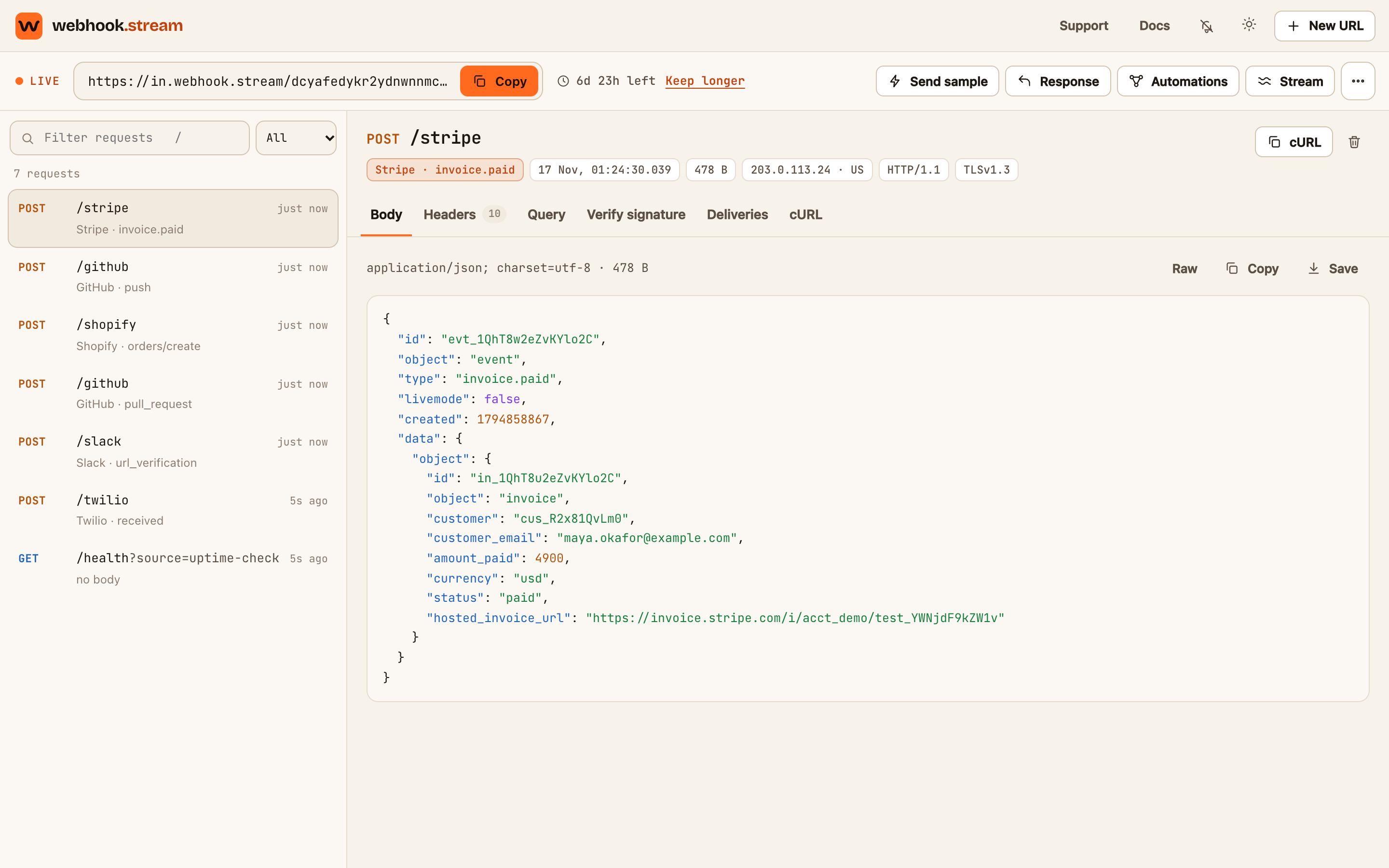
The inspector is the page you use to watch a webhook URL. It has four parts: the top bar, the URL bar, the request list on the left and the request detail on the right.
The top bar
| Item | What it does |
|---|---|
| The URL picker | Appears when this browser has more than one URL. Switch between them. Each shows how much time it has left |
| Support | Opens this help center |
| Docs | Opens the full documentation |
| The bell | Turns desktop notifications on or off. See Get notified when a request arrives |
| The moon or sun | Switches between dark and light themes |
| New URL | Creates another URL, which lives for 7 days |
The URL bar
| Item | What it does |
|---|---|
| Live, Connecting or Offline | Whether the inspector is connected. While Live, requests appear the moment they arrive |
| Your webhook URL and Copy | The address to give to the service that sends webhooks. PRO appears beside it when the URL has a Pro pass |
| The time left | How long until the URL and everything it caught are erased. It's highlighted in the last 6 hours |
| Keep longer or Extend | Buys a Pro pass for this URL. See Keep a URL longer with a Pro pass |
| Send sample | Sends a realistic JSON test event to the URL |
| Response | Sets what the URL answers. A number appears on it when the status isn't 200. See Set a custom response |
| Automations | Filters, reshapes and forwards requests. The number is how many are switched on, and it turns red when one has paused itself. See Create your first automation |
| Stream | Forwards requests to localhost, sets up email alerts, shows the event stream, and gives you a link to share. See Forward webhooks to localhost |
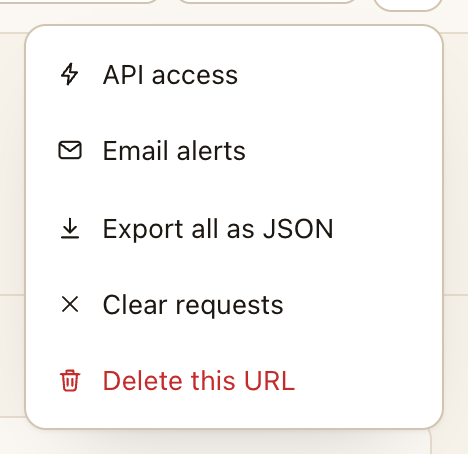
| ⋯ (more) | API access, Export all as JSON, Clear requests and Delete this URL |
On a narrow screen the toolbar buttons show only their icons.

The request list
- Filter requests narrows the list by any text in the method, path, query, sender, event name, IP address or content type. The menu beside it filters by method. See Find requests with filters and shortcuts.
- Each row shows the method, the path, how long ago it arrived, and the recognised sender and event (such as Stripe · invoice.paid) or the content type.
- Load older requests appears at the bottom when there are more stored requests than the list shows.
The request detail
Click a request to open it. The top shows the method and path, then small labels for the sender and event, the time, the size, the sender's IP address and country, and the HTTP and TLS versions. On the right, cURL copies a command that replays the request, and the bin deletes it.
The tabs are Body, Headers, Query, Verify signature, Deliveries and cURL. See Read a captured request.
When nothing is selected, the right side shows a cURL command for your URL, Send a sample request, Forward to localhost, and the keyboard shortcuts.