
In this section
What is webhook.stream?
A webhook URL you can watch. Catch requests from any service, read them as they arrive, answer them your way, and send them on to Slack, your own API or your laptop. Free, with no account.
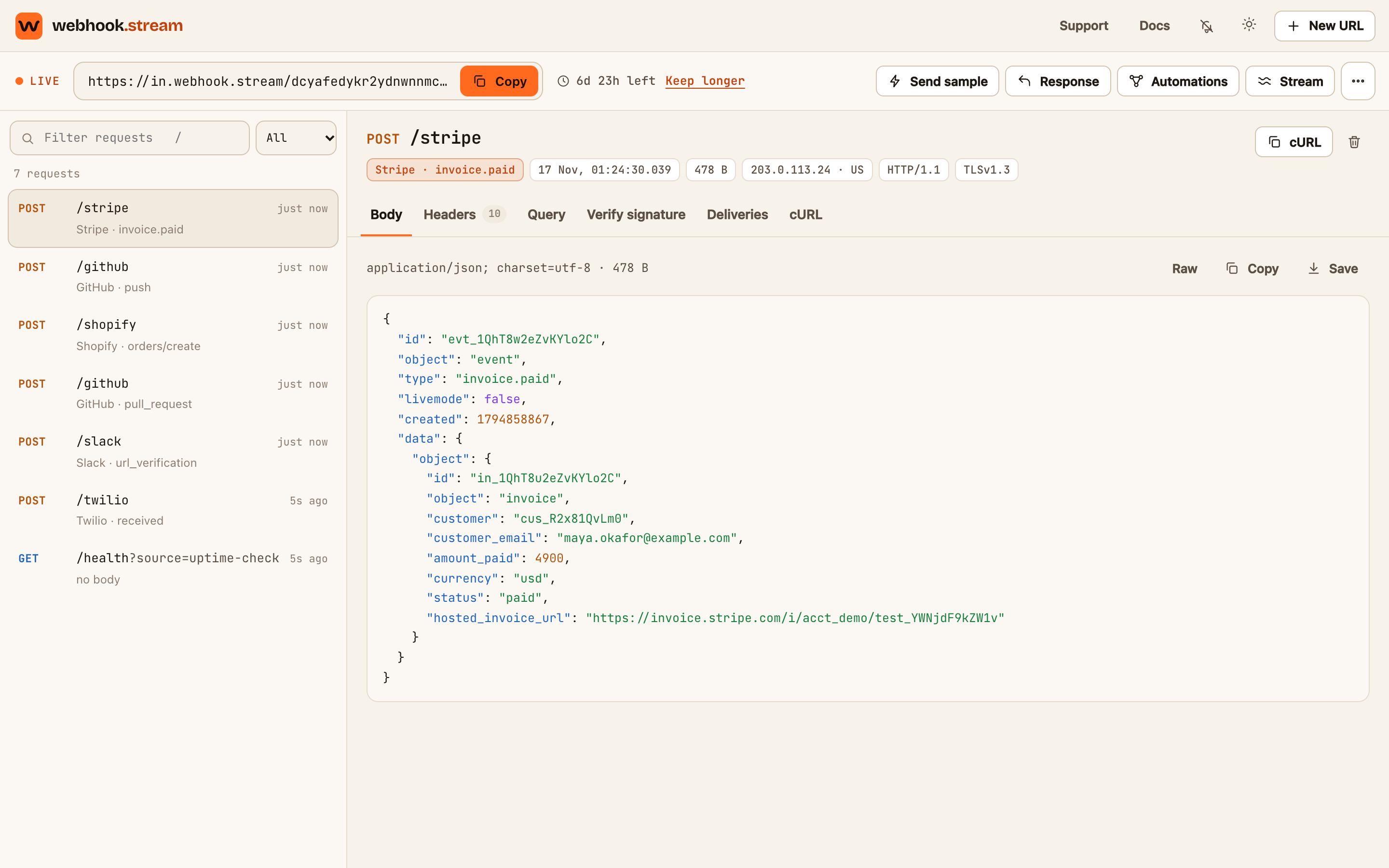
webhook.stream gives you a URL that records every HTTP request sent to it. You paste the URL into a service that sends webhooks, such as Stripe, GitHub or Shopify, and each request appears in your browser the moment it arrives, with its headers, body and signature.
There's no account and nothing to install. A URL is created with one click and deletes itself, with everything it caught, when its time is up.
What you can do with it
| You want to | Use |
|---|---|
| See exactly what a service sends before you write code for it | The inspector: every request, live. See A tour of the inspector |
| Check that a request really came from the service | Verify signature, which runs in your browser. See Verify a webhook signature |
| Control what the URL answers, for a handshake or to test failures | Response. See Set a custom response |
| Post a message to Slack, Discord or Telegram when a webhook arrives | Automations. See Send webhooks to Slack, Discord, Telegram or ntfy |
| Reshape a webhook into the format another API expects | Automations with a template. See Write a template |
| Receive real webhooks on a server running on your laptop | Stream → Forward to localhost. See Forward webhooks to localhost |
How it fits together
- Catch. The URL accepts any method, any path after its ID, and any body. It answers straight away.
- Inspect. The request shows up in the inspector with its headers, query string and formatted body. The sender is recognised for Stripe, GitHub, Shopify, Slack, Twilio and many others.
- Answer. The URL replies with the response you set: a status, headers, a body and an optional delay.
- Send on. If you've set up automations, matching requests are filtered, reshaped and delivered to another HTTPS address.
What it costs
Everything above is free. A free URL lives for up to 7 days, with limits that suit testing. If a URL becomes something you rely on, a one-time Pro pass keeps that same URL alive for longer and raises its limits. There's no subscription. See Free limits and Pro passes.
What it isn't
- Not a place to keep data. Every URL expires and its requests are erased. Use your provider's test mode where you can.
- Not a full workflow tool. An automation sends one request when a webhook arrives. It doesn't run on a schedule, chain several steps or retry failed deliveries.