
In this section
Keep a URL longer with a Pro pass
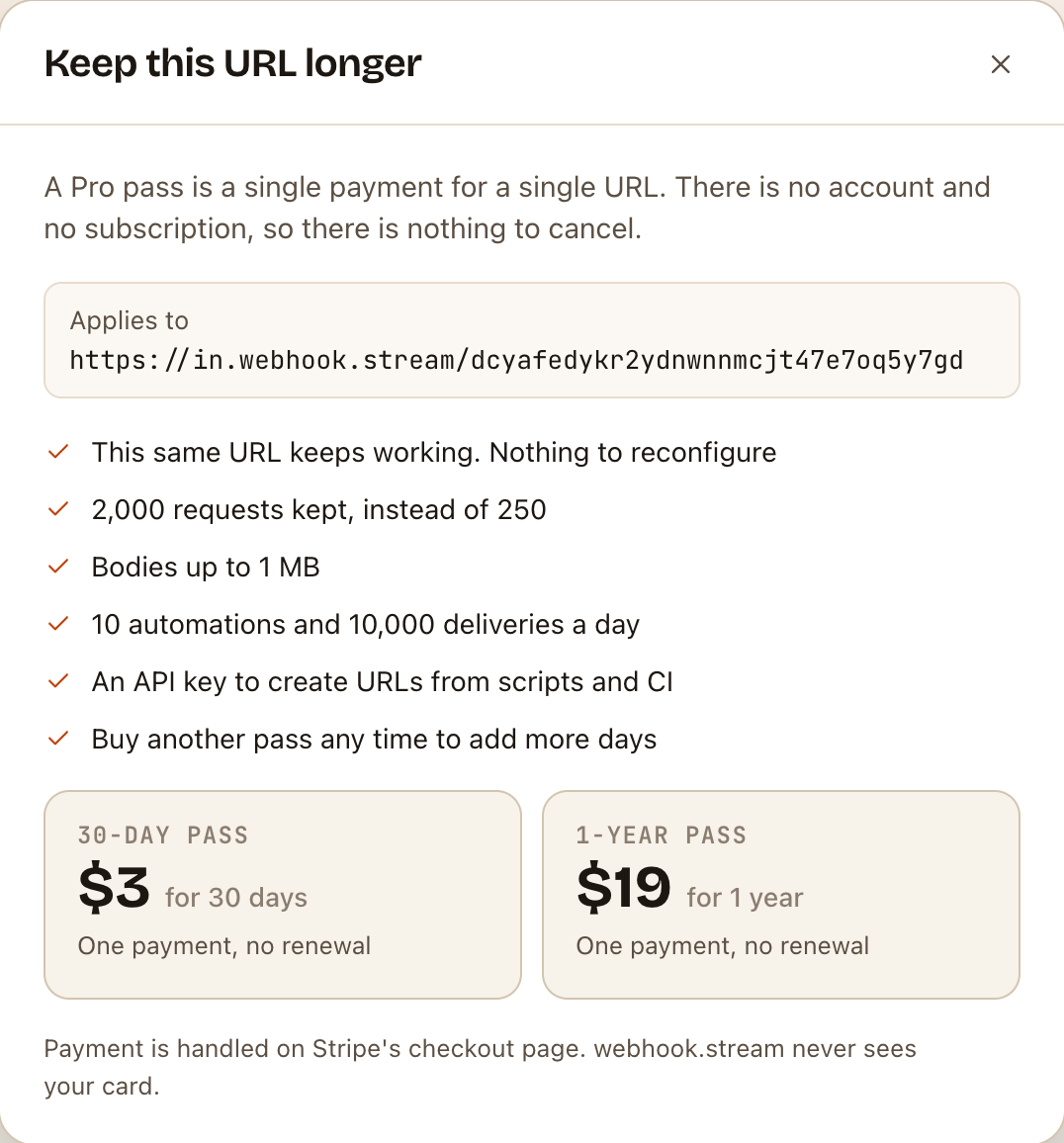
Buy a Pro pass from the inspector to keep the same webhook URL alive for another 30 days or a year, with higher limits. One payment, no subscription, nothing to reconfigure.
A free URL lives for at most 7 days. When you want to keep one, a Pro pass extends that same URL, so nothing changes at the services that send to it.
Before you start
- Buy the pass from the URL you want to keep. A pass applies to the URL whose inspector you buy it from.
- You don't need an account. Payment is taken on Stripe's checkout page. webhook.stream never sees your card.
- If the URL has already expired, it can't be brought back. Create a new one and buy the pass for that.
Buy a pass
- Open the URL's inspector.
- Click Keep longer, next to the time left at the top. On a URL that already has a pass, it says Extend.

- Check the address under Applies to is the URL you mean.
- Click the pass you want: 30-day pass or 1-year pass.
- Pay on the Stripe checkout page.
You return to the inspector, which shows Payment received. Applying your Pro pass… and then Pro pass active. This URL now lives longer.
Other ways to buy:
- On the home page, choose a Pro pass option under Keep it for before you click Get your URL. You get a new URL, and checkout opens for it straight away.
- On the pricing page, Buy pass opens checkout for the URL you used most recently in this browser, or makes you a free one first.
Check it worked
- PRO appears next to the URL.
- The time left has gone up by 30 or 365 days.
- Automations now allows up to 10, and the URL keeps 2,000 requests. See Free limits and Pro passes.
- Under ⋯ → API access you now have an API key. See Create webhook URLs from scripts and CI.

Extend again later
Click Extend next to the time left and buy another pass. The days are added to the time already left, so you can extend early without losing anything. Nothing renews by itself: when the time is nearly up, the time left is highlighted in the inspector.
If something goes wrong
- No Keep longer link. Passes aren't on sale at the moment. Your URL works as normal.
- You paid, but PRO hasn't appeared after a few minutes. Reload the inspector. If it's still missing, contact us with your Stripe receipt and the webhook URL (not the dashboard link). See Payments, receipts and refunds.
- You bought the pass for the wrong URL. Contact us with the receipt and both webhook URLs, before either expires.
- You closed the checkout page. Nothing was charged. Click Keep longer to start again.