
In this section
Create your first webhook URL
Get a webhook URL in one click, choose how long it lives, send it a test request and watch it arrive in the inspector. Takes about a minute and needs no account.
In about a minute you'll have a webhook URL, a request sent to it, and that request open in front of you.
Before you start
- You don't need an account or a card.
- Decide how long you need the URL. A free URL lives for 1 hour, 1 day, 3 days or 7 days. You choose when you create it, and you can't shorten or lengthen a free URL afterwards except with a Pro pass. If you're not sure, keep the default of 7 days.
Create the URL
- Go to webhook.stream.
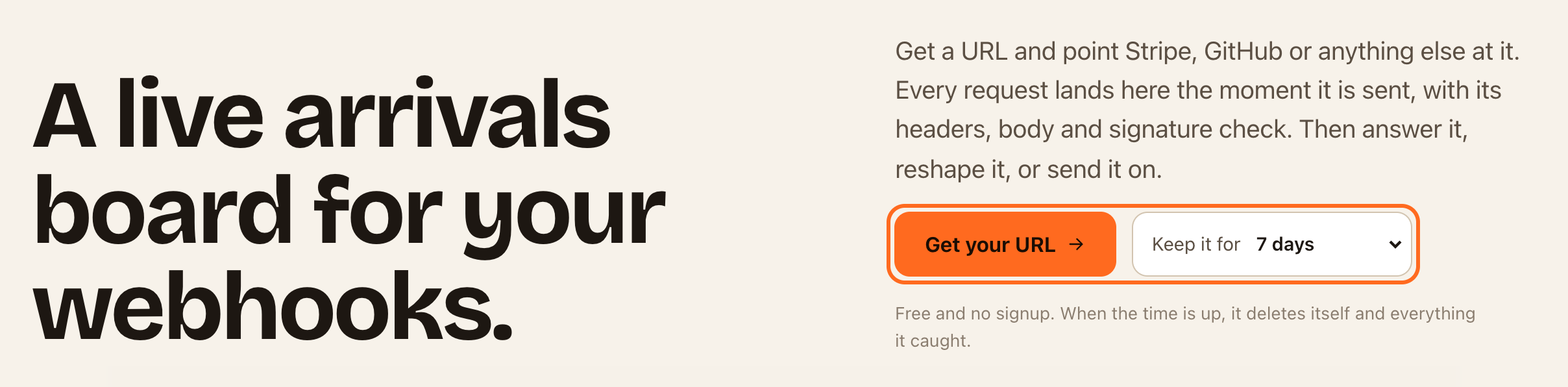
- Under Keep it for, choose how long the URL should live. The Pro pass options create a free URL and then open checkout to extend it. See Keep a URL longer with a Pro pass.
- Click Get your URL. If a short "are you human" check appears, complete it.
The inspector opens with your new URL at the top, ready to receive. The URL looks like https://in.webhook.stream/ followed by a long ID.
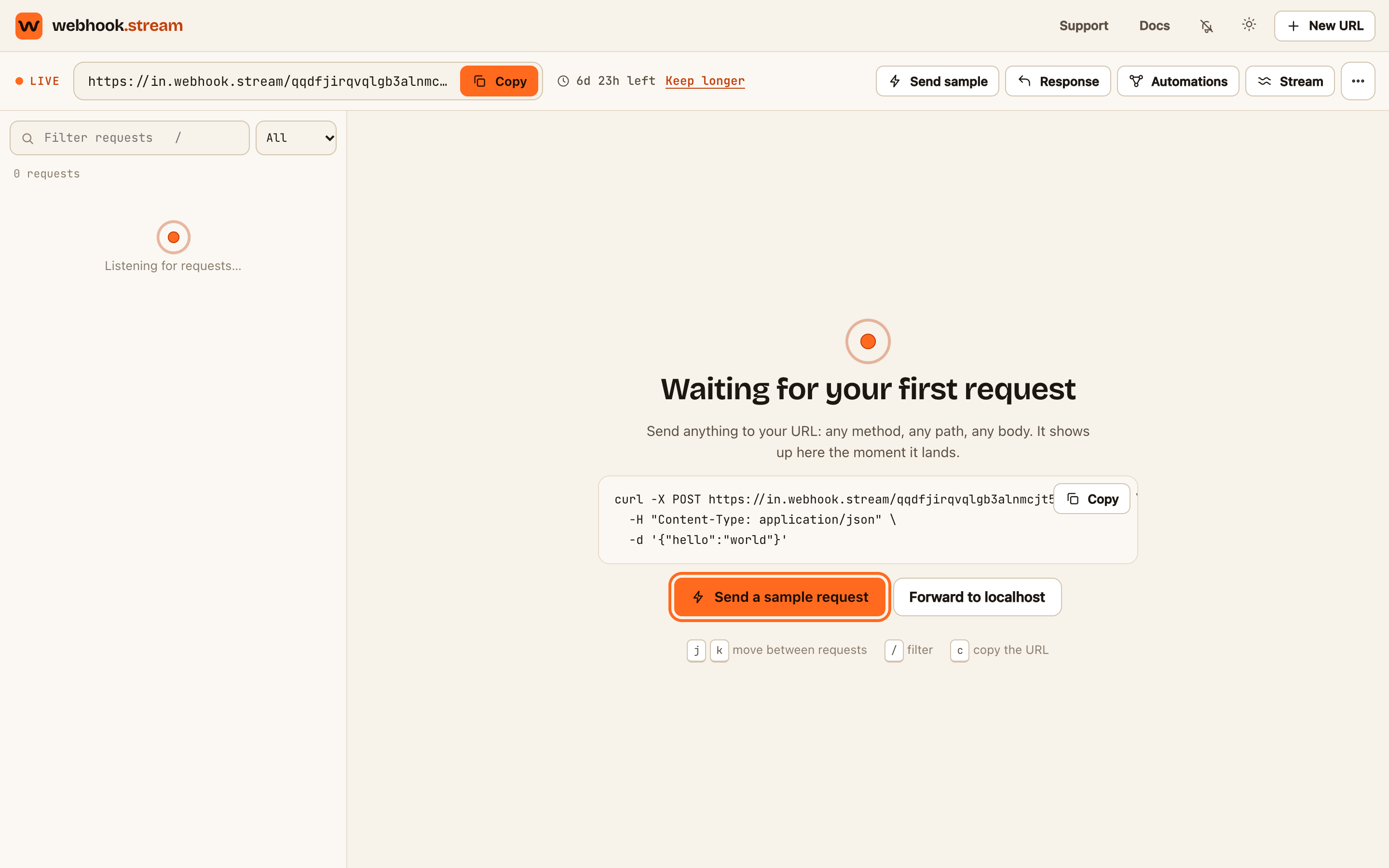
You can also click New URL at the top of any page. It creates a URL that lives for 7 days.
Send it a request
You have three options:
- Click Send a sample request in the middle of the inspector, or Send sample in the toolbar. A realistic JSON event lands straight away. It's marked as a test.
- Paste the URL into a service. Copy it with the Copy button next to it, then paste it wherever the service asks for a webhook, callback or notification URL. Trigger an event there.
- Send one yourself. The inspector shows a ready-made cURL command with your URL in it. Copy it and run it in a terminal:
curl -X POST https://in.webhook.stream/YOUR_ID \
  -H "Content-Type: application/json" \
  -d '{"hello":"world"}'
Check it worked
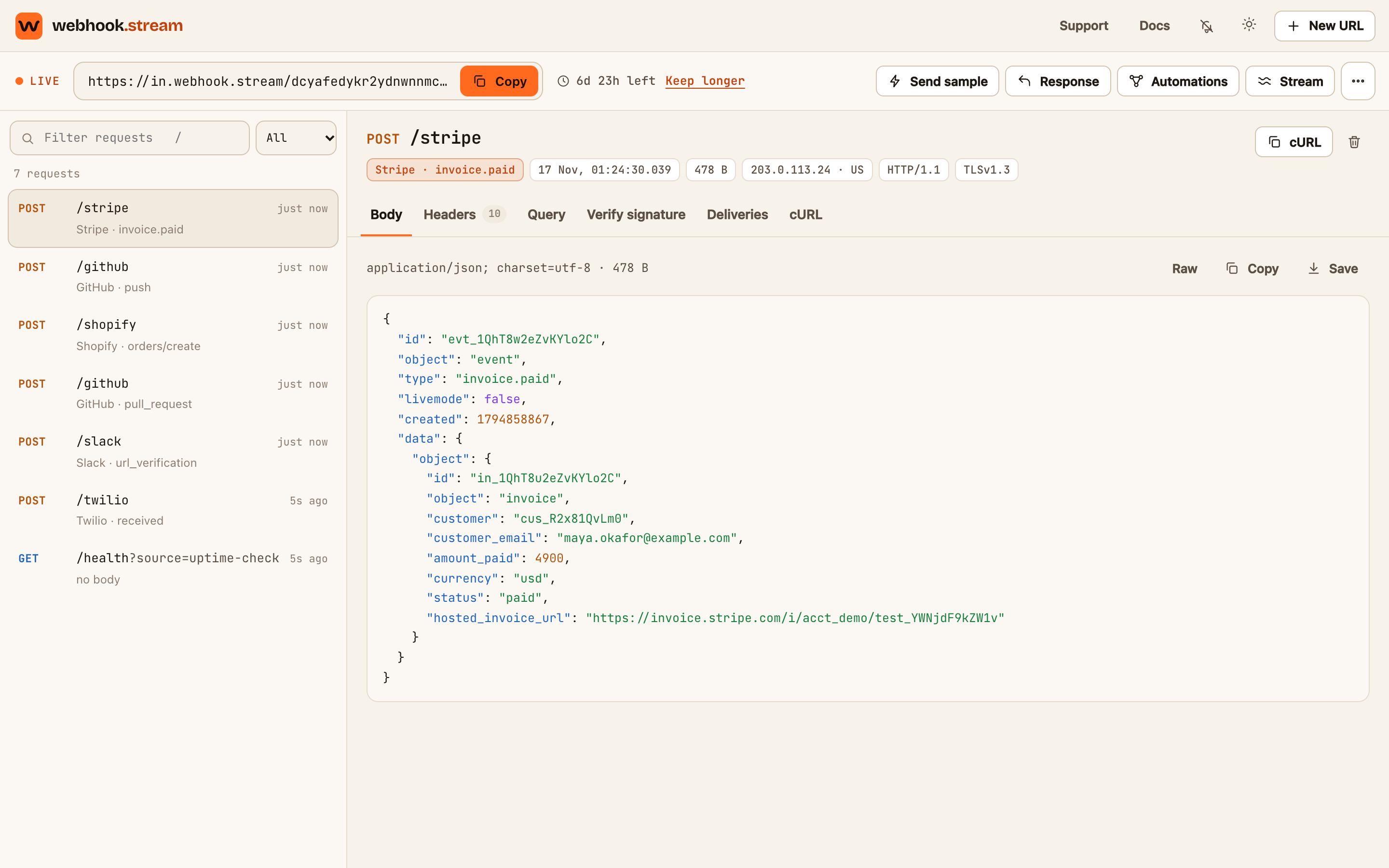
The request appears at the top of the list on the left, with its method, path and how long ago it arrived. Click it to see its body, headers and query string on the right. The Live label next to the URL means the inspector is connected, so new requests appear without reloading.
If something goes wrong
- "You have reached the limit of 30 new URLs per day". Each network can create 30 URLs a day. Reuse a URL you already have, or try again tomorrow.
- Nothing arrives from the service. Check the URL was pasted in full and that the service actually sent the event. See Requests aren't showing up.
- The inspector says "Offline" or "Connecting". Your browser lost its connection. It reconnects by itself and fetches anything that arrived in the meantime.