
In this section
Automation deliveries are failing, or an automation paused itself
What each delivery error means, why an automation won't save, why one didn't run at all, and how to switch a paused automation back on.
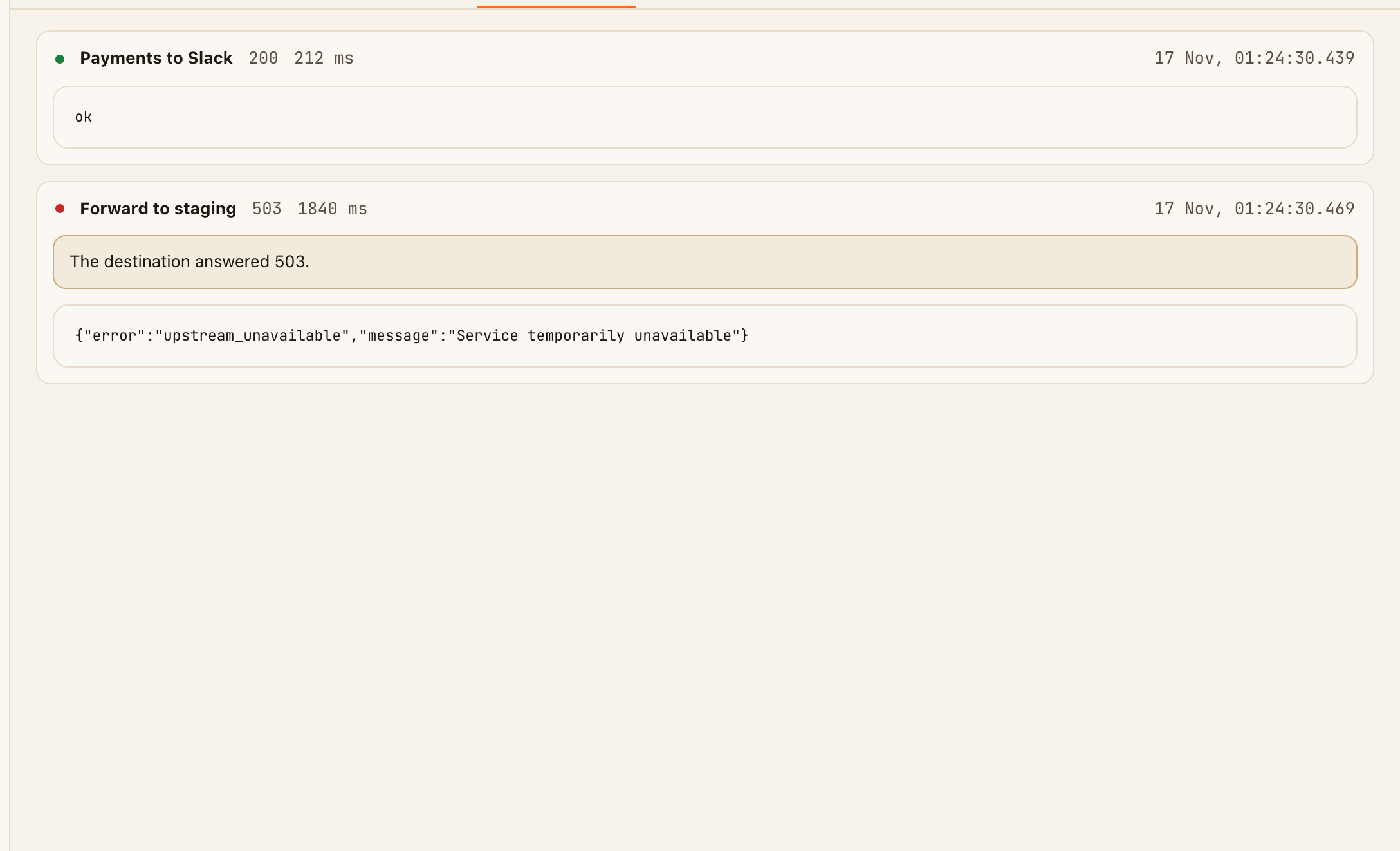
Each failed delivery is shown, with its reason, on the Deliveries tab of the request that caused it. Failed deliveries aren't retried. After 15 failures in a row, an automation pauses itself so it stops sending to a destination that isn't working.
What the error means
| The delivery says | Means | What to do |
|---|---|---|
| "The destination answered 400" (or another 4xx) | The destination refused the request. The start of its reply, under the error, usually says why | Fix the body, URL or headers. 401 and 403 mean the key or token is wrong |
| "The destination answered 500" (or another 5xx) | The destination had a problem of its own | Check the destination. Re-send with Send test once it's working |
| "The destination redirected. Redirects are not followed." | The URL points at an address that moves you elsewhere | Use the final address, usually with https:// or www. added or removed, or a trailing / |
| "No answer within 8 seconds." | The destination is too slow | Make it answer first and do slow work afterwards |
| "Could not connect to the destination." | The address couldn't be reached at all | Check the host name, and that the server is up and public |
| "Skipped: this endpoint's delivery budget is used up for now." | The URL has made all the deliveries it's allowed this minute or today | Wait, or raise the limit with a Pro pass |
An automation paused itself
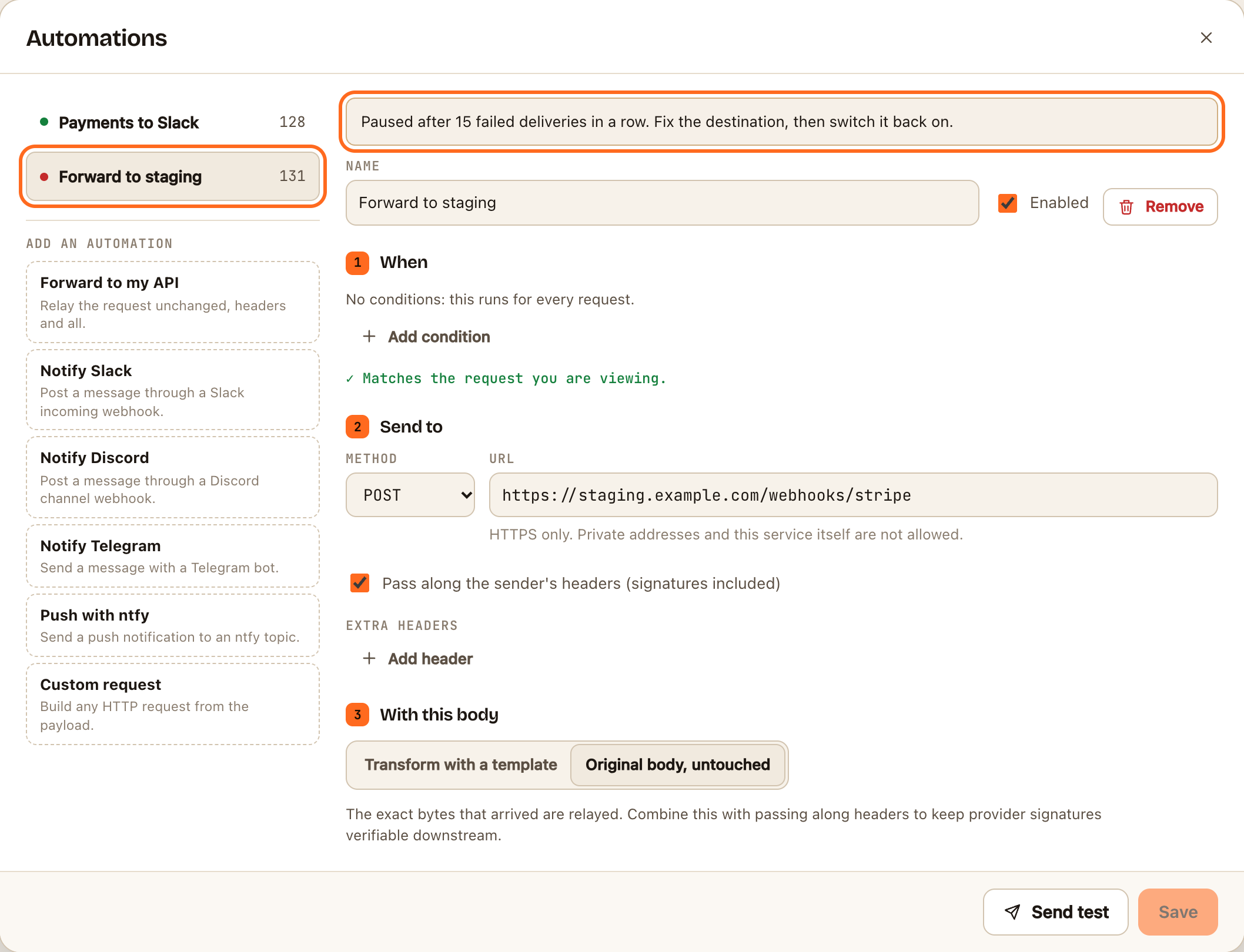
In Automations, a paused automation has a red dot, and the number on the Automations button turns red. Its page says Paused after 15 failed deliveries in a row. Fix the destination, then switch it back on.
- Open a recent request and read its Deliveries tab to see why the deliveries failed.
- Fix the cause: the destination, the URL, or the headers.
- Open Automations and select the paused automation.
- Switch Enabled off and on again, then click Save.
- Click Send test to check it works now.
Changing an automation's URL also clears its failure count.
The automation won't save
| Message | Means |
|---|---|
| "Only https:// destinations are allowed." | The URL starts with http:// |
| "IP addresses are not allowed. Use a hostname." | Use the server's name, not its IP address |
| "Private and local hostnames are not allowed." | Addresses such as localhost or .local can't be reached. See Forward webhooks to localhost |
| "Only the default HTTPS port (443) is allowed." | Remove the :8443 or similar from the URL |
| "URLs with embedded credentials are not allowed. Use a header instead." | Move user:password@ out of the URL into an Authorization header |
| "An automation cannot deliver back to this service." | A webhook.stream URL can't be a destination |
| "The … header cannot be set here." | Headers such as Host, Content-Length and User-Agent are set automatically |
| "An endpoint can have at most 3 automations." | The free limit. A Pro pass allows 10 |
The automation didn't run at all
If a request's Deliveries tab is empty:
- The conditions didn't match. Select the request, open the automation and look under the conditions for ✕ Does not match. See Choose when an automation runs.
- It's switched off or paused. Check its dot in the list.
- The request came from another webhook.stream automation. Requests carrying the
X-Webhook-Stream-Hopheader are recorded but never trigger automations, so two URLs can't send to each other in a loop.