
In this section
The signature doesn't match
Why Verify signature says Not verified, or why your own code rejects a signature the inspector accepts. The usual causes, from the wrong secret to a body that was changed before checking.
A signature check only passes when the secret is right and the body is byte-for-byte what was sent. When it fails, one of those two is almost always the reason.
When the inspector says Not verified
Work through these, most likely first:
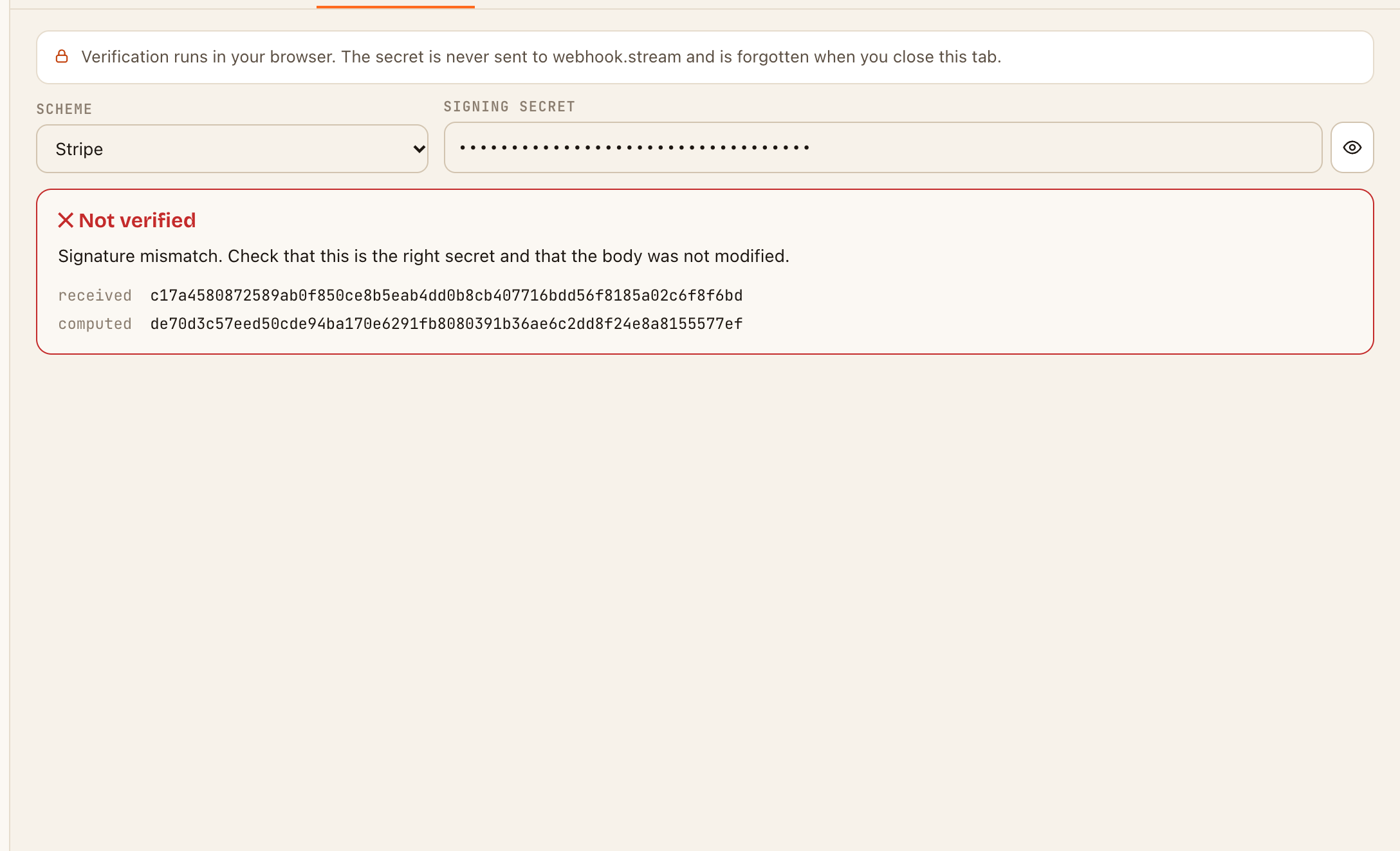
- The wrong secret. Each webhook endpoint usually has its own secret, and test and live modes have different ones. With Stripe, the secret the Stripe CLI prints for
stripe listendiffers from the one in the Dashboard. Copy the secret again from the exact endpoint that sent this request. - The wrong scheme. Check Scheme on the Verify signature tab matches the service. It's chosen from the headers, but a service that uses another's format can be misread.
- The wrong kind of secret for Shopify. Webhooks made in the Shopify admin are signed with the key shown in its webhook settings. Webhooks made by an app are signed with the app's client secret.
- A Twilio address mismatch. Twilio signs the full URL it called, including any path and query string. The check uses the address the request arrived at, so the URL in Twilio's settings must match it exactly.
- Generic HMAC settings. Check Algorithm, Encoding, Signature header and Prefix against the service's documentation. Comparing the received and computed values helps: if one is hex and the other base64, the encoding is wrong.
- The body was truncated. A body larger than the storage limit can't be checked. The inspector says so.
About old requests: a valid Stripe, Slack or Svix signature still shows as valid in the inspector after any length of time, with a note of how long ago it was signed. Your own code, and the services' libraries, usually reject anything more than about five minutes old.
When the inspector says valid, but your code doesn't
Then the secret is right, and your code is checking a different body from the one that was sent. The causes:
- The body was parsed first. Many frameworks parse JSON before your handler runs. Turning it back into text changes spaces and key order, so the signature no longer matches. Read the raw body for the webhook route, before any JSON parsing.
- The timestamp is too old. If you replayed a captured request with cURL, a Stripe or Slack signature will be rejected after five minutes. Forward live requests instead. See Forward webhooks to localhost.
- The body was rewritten on the way. If an automation sends it to you with Transform with a template, the original signature no longer applies. Use Original body, untouched and Pass along the sender's headers. See Forward webhooks to your own API.
- Strings compared the wrong way. Compare the hex or base64 text, not raw bytes against text, and use a constant-time comparison.