
In this section
Create webhook URLs from scripts and CI
A URL with a Pro pass comes with an API key that creates new webhook URLs without a browser, for test suites and CI jobs. Where to find it, how to use it, its limits, and how to replace it.
Test suites and CI jobs often need a fresh webhook URL for each run. Normally a URL is created in a browser. With an API key, a script can create one in a single call.
Before you start
- The key comes with a Pro pass. Every URL with a pass has one, and it works for as long as that pass lasts. See Keep a URL longer with a Pro pass.
- Keep the key secret, like a password. Store it as a CI secret, not in your code.
Find your API key
- Open the inspector of the URL that has the pass.
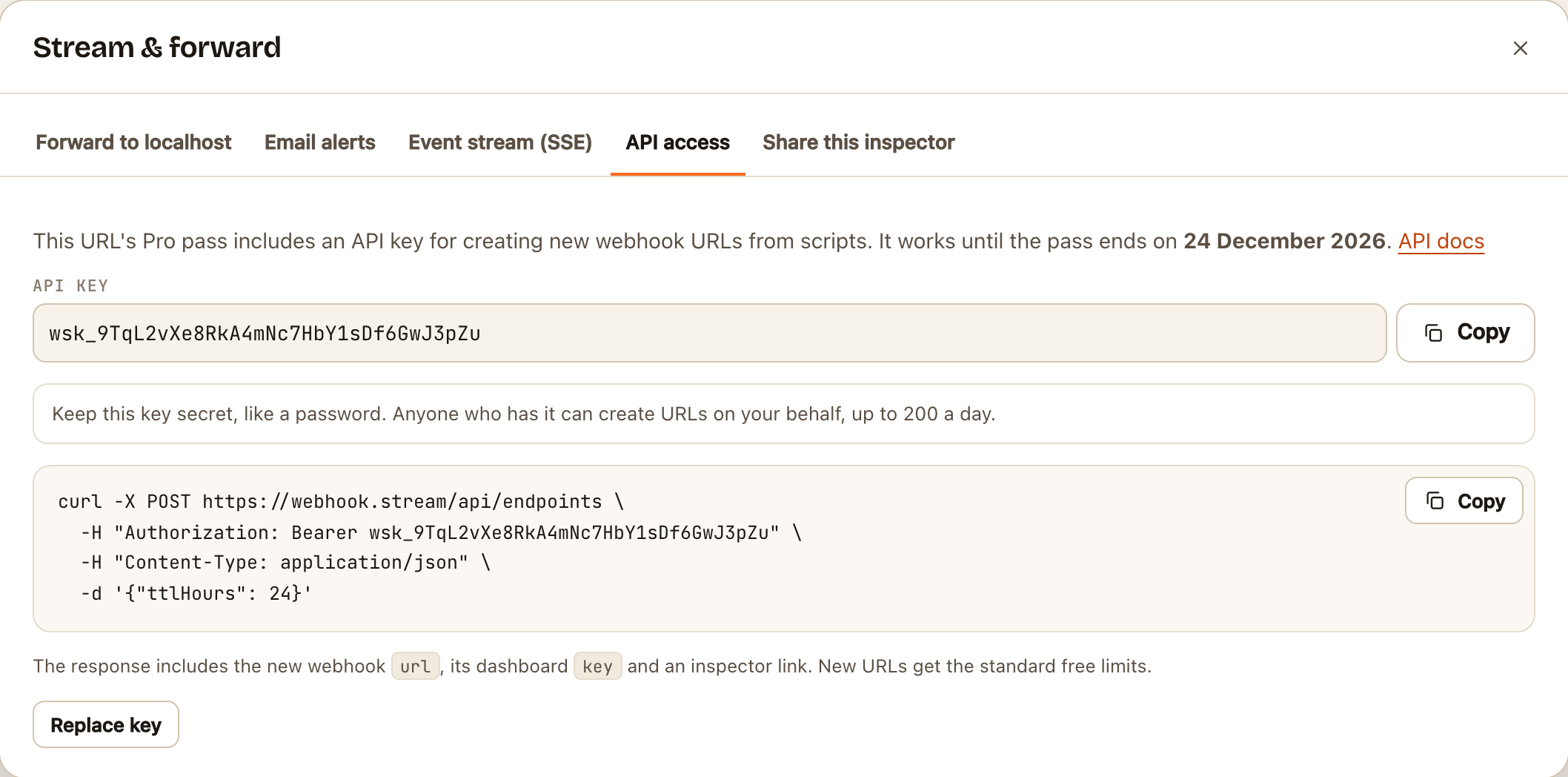
- Click ⋯ (more) at the end of the toolbar, then API access.
- Copy the key under API key. It starts with
wsk_. The date it works until is shown above it.
Create a URL
curl -X POST https://webhook.stream/api/endpoints \
  -H "Authorization: Bearer wsk_..." \
  -H "Content-Type: application/json" \
  -d '{"ttlHours": 24}'
The reply contains:
| Field | Is |
|---|---|
url |
The new webhook URL. Give this to the service under test |
key |
Its dashboard key, for the REST API and the event stream |
dashboard |
A link that opens it in the inspector |
expiresAt |
When it expires, in milliseconds since 1970 |
ttlHours can be 1, 24, 72 or 168. Leave it out, or send anything else, and the URL lives for 7 days.
A typical test run
- Create a URL with the key.
- Register the
urlwith the service you're testing. - Follow the
eventsstream with the newkey, and wait for the request you expect. - Assert on its headers and body.
- Delete the URL with
DELETE /api/endpoints/IDwhen you're done.
Limits
- One key can create 30 URLs a minute and 200 a day.
- URLs it creates are free URLs: they get the free limits and live for up to 7 days. The pass stays on the URL that has it.
Replace a key
If the key has leaked, or someone who had it no longer should:
- Open ⋯ → API access.
- Click Replace key, then Replace key again to confirm.
A new key appears. The old one stops working within a few minutes, so update your CI secrets straight away.
If something goes wrong
| Answer | Means |
|---|---|
401 |
The key is wrong, has been replaced, or its pass has ended |
429 "creating URLs too quickly" |
More than 30 in a minute. Wait for the Retry-After time |
429 "limit of 200 new URLs per day" |
Today's allowance is used. It resets after the Retry-After time |
415 |
The Content-Type: application/json header is missing |
When the pass ends, or the URL that holds it is deleted, the key stops working. Buy another pass on that URL to keep it.