
In this section
Follow requests with the event stream (SSE)
Subscribe to a webhook URL from a terminal, a browser, a test run or any language, using a standard Server-Sent Events stream that resumes where it left off.
Every webhook URL publishes what it receives as a stream you can follow. It's the way to get webhooks into something that can't have a public address of its own: a script on a laptop, a test suite in CI, or a dashboard in a browser.
Before you start
- You need the URL's dashboard key. The commands in the inspector already contain it. Anyone with the key can read the requests, so keep it out of public code and logs.
- Each listener is a live connection. A free URL allows 12 at once and a URL with a Pro pass allows 50. Open inspector tabs count too.
Get the commands
- In the inspector, click Stream.
- Open the Event stream (SSE) tab.
- Click Copy next to the example you need: a cURL command for a terminal, or JavaScript for a browser or Node.js.
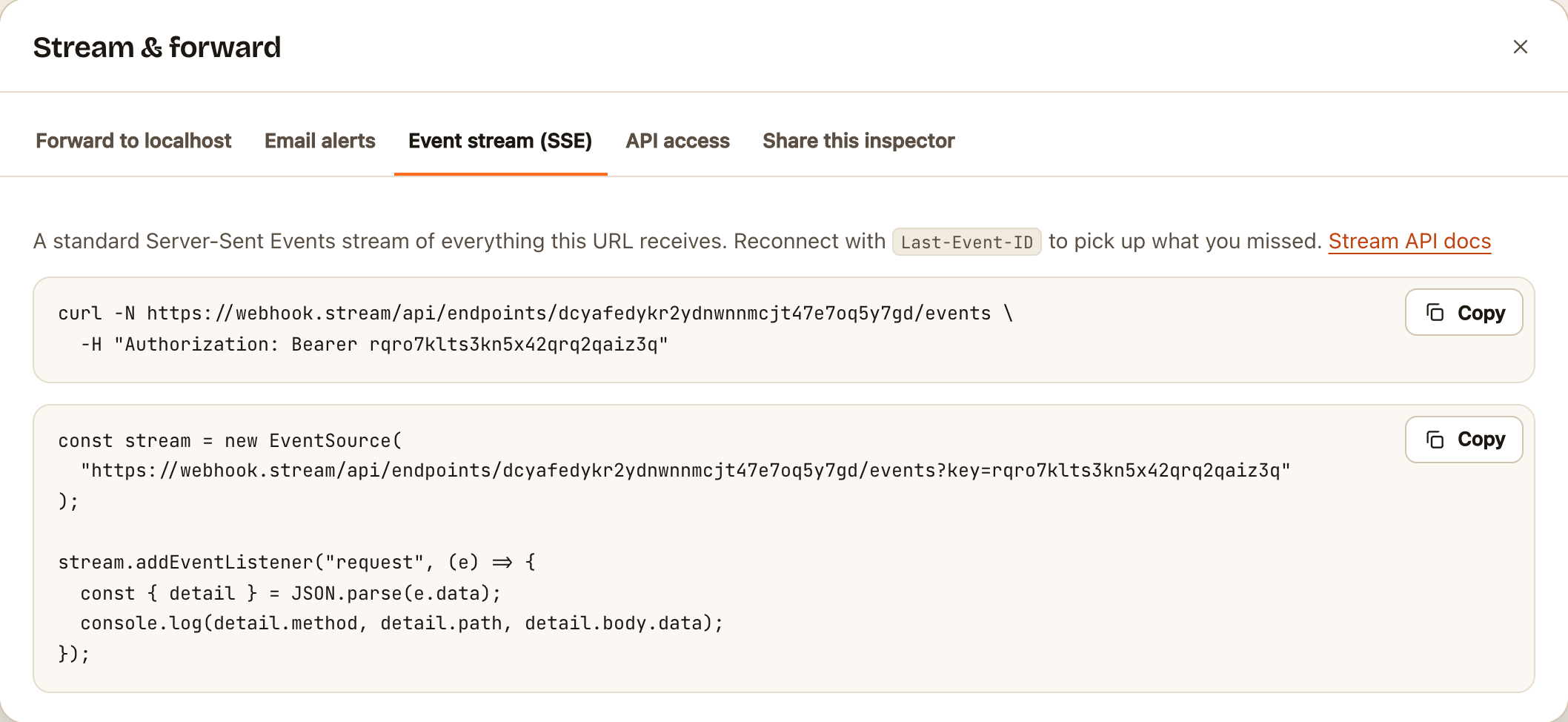
From a terminal:
curl -N https://webhook.stream/api/endpoints/YOUR_ID/events \
  -H "Authorization: Bearer YOUR_KEY"
From JavaScript:
const stream = new EventSource(
  "https://webhook.stream/api/endpoints/YOUR_ID/events?key=YOUR_KEY"
);
stream.addEventListener("request", (e) => {
  const { detail } = JSON.parse(e.data);
  console.log(detail.method, detail.path, detail.body.data);
});
Browsers' EventSource can't send headers, so it passes the key in the address instead. Use the Authorization header wherever you can.
What arrives
| Event | When | Contains |
|---|---|---|
request |
A request was captured | summary, and detail with the full headers and body. For bodies over 64 KB, detail is null: fetch the request by its ID |
delivery |
An automation finished a delivery | The status, timing and any error |
removed, cleared |
Requests were deleted | The request ID, where there is one |
config |
The response or automations changed | The new settings |
gone |
The URL expired or was deleted | The stream then closes |
Bodies are text when they're valid UTF-8, with "encoding": "utf8", and base64 otherwise.
Pick up where you left off
Each request event has an ID. Reconnect with a Last-Event-ID header (EventSource does this for you), or add ?after= with the ID to the address. The stream first sends up to 100 requests you missed, then carries on live.
Use it in a test
A test can create a URL, register it with the service under test, follow the stream, and wait for the request event it expects. To create URLs from a script without a browser, see Create webhook URLs from scripts and CI.
If something goes wrong
401: the key is missing or wrong.410: the URL has expired or been deleted.429"Too many live connections": close some inspector tabs or listeners.- Nothing arrives through a proxy: some proxies hold back streamed responses. Use
curl -N, and check the proxy doesn't buffer.